
Digikam
Home » Applications » Graphics » Digikam
 |
瀏覽,管理,編輯,增強,組織,標記和分享圖片。 |
DigiKam 支持導入相機的照片,創建相冊,標記日期,題材和其他屬性,和優秀的搜索功能。請查閱手冊了解完整的細節,包括支持的圖片格式。
Features
管理你的照片
-
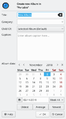
相冊視圖
-
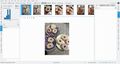
時間線視圖
-
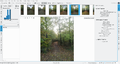
瀏覽Exif信息
-
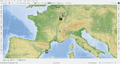
地理化(添加地理位置)
-
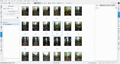
搜索視圖
-
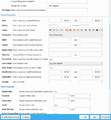
高級搜索
-
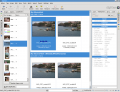
識別重複項
-
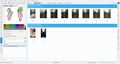
模糊搜索


Digikam provides advanced functionality to manage your photos. You can view your photos in chronological order, or classify the photos in different albums, there is also the possibility to organize your photos with the localization they were taken.
-
Create Album
-
Timeline View
-
Map View
Moreover, Digikam also provide multiple search features, you can do a simple keyword search, but also advanced search on the metadata and even some fuzzy search, where you draw a pattern and Digikam try to find matching photos. Digikam can also found duplicate in your library.
-
Simple Search View
-
Detailed Search
-
Fuzzy Search
-
Identify duplicates
Digikam can also display the Exif information of your photo.

圖片編輯器
-
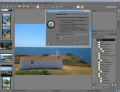
標記
-
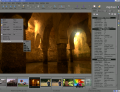
指派評分
-
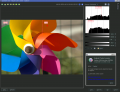
調整顏色級別
-
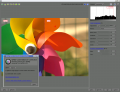
白平衡調整
-
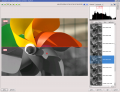
轉換到黑和白
-
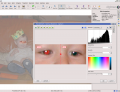
消除紅眼
-
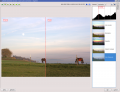
自動顏色糾正
-
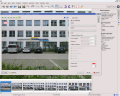
鏡頭自動糾正


相機界面
-
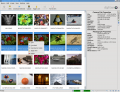
從可移動介質中讀取
-
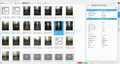
或從相機中讀取
-
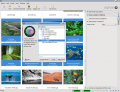
直接保存到相冊
-
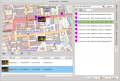
添加地理定位到個人照片


燈桌
-
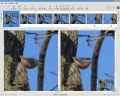
對比一組照片
-
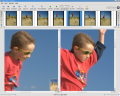
檢查細節
-
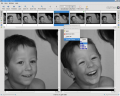
評分使得選擇更容易
-
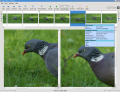
查看相機設置


ShowFoto
對於那些覺得 DigiKam 界面過於技術向的人,ShowFoto 給於了一個常見流行的界面來訪問同樣的工具。
-
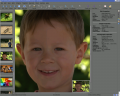
瀏覽
-
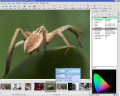
圖片屬性
-
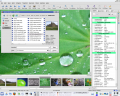
瀏覽圖片屬性
-
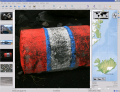
又是地理化
-
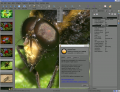
預設縮放
-
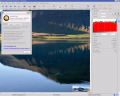
直方圖
-
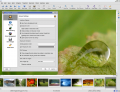
常規設置
-
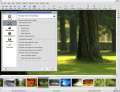
工具提示選項
-
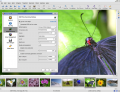
Raw圖片設置
-
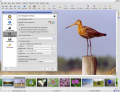
色彩管理設置
-
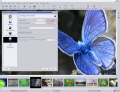
檔案保存選項
-
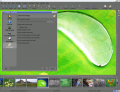
幻燈片放映設置


這個專案的支持頁面有鏈接指向Frequently Asked Questions (FAQs)和郵件列表訂閱細節。
有關數字資產管理(Digital Asset Management)的章節不再存放在web頁面上,而是在手冊上,有可能作為digikam-doc在你的安裝中出現,或者你可以下載一系列的.pdf 檔案,digikam.pdf,showfoto.pdf和kipi-plugins.pdf
rm42 的 blog 開源碼照片處理的新紀元突出自 KDE 3 版本以來的發展,提供了一份有用的預覽。
這裡有 Digikam 教學。

Useful digiKam Tricks
Transcribed from Dmitri Popov's blog, 26 September 2011
- To quickly adjust thumbnail size in the Album view, press and hold the Ctrl key, then use the mouse scroll wheel to make the thumbnails larger or smaller.
- With the feature enabled, digiKam automatically hides originals and displays the latest modified versions of the photos. For example, if you process a NEF file and save it in the JPEG format, digiKam hides the original RAW file and shows only the JPEG photo. To disable this feature, choose and make sure that the option in the In main view section is enabled. To keep things tidy, you can then group the original and all its versions. To do this, select the photos you want to group, right-click on the selection, and choose .
The trash has reached its maximum size! Cleanup the trash manually
If you receive this error message and emptying the Trash doesn’t help, then the following command may solve the problem:rm ~/.local/share/Trash/metadata
- Need to quickly locate all untagged photos? In digiKam, expand the left sidebar, and press the button. In the window, tick the check box and press to run the search.
- Instead of the conventional thumbnail view, digiKam lets you map your photos on a globe. Choose , and you should see photos from the current album mapped on the 3-D globe. You can then use the mouse to rotate the globe and the mouse wheel to zoom in and out. Obviously, the Map view displays only geotagged photos.

Download
Digikam is available for Linux, Windows and MacOS. For Linux, you can find Digikam in your distribution repository or you can also download Digikam as an AppImage.
For Windows and MacOS, you can download Digikam binary on the digiKam website download page.
Beta version and source code are also available on the digiKam website download page.
Tutorials
There is a lot of tutorials about using Digikam. These tutorials are taken from Dmitri Popov and Mohamed Malik blogs about using Digikam, and have given us permission to reproduce them.