
KWin Rules Application Workarounds
Application Workarounds
Below are Workarounds for misbehaving applications.

Full-screen Re-size Error
Emacs and gVim, when maximized (full-screen mode) and under certain conditions may encounter window re-sizing issues - see Emacs window resizes ... A KWin Rule will work-around the issue.
Assuming an Emacs window is open:
- Use and select the Emacs window. Match only by primary class name so leave the check boxes unchecked - for additional information see window matching
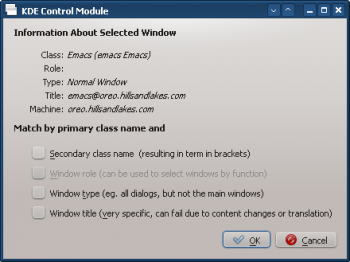
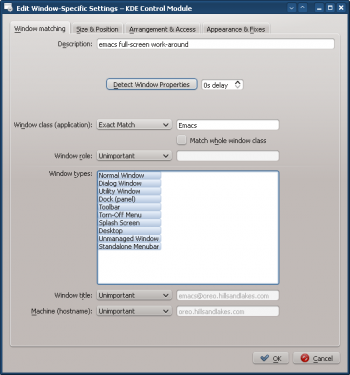
- Clicking in the previous window back-fills the results in the tab. Enter a meaningful text in the text box:
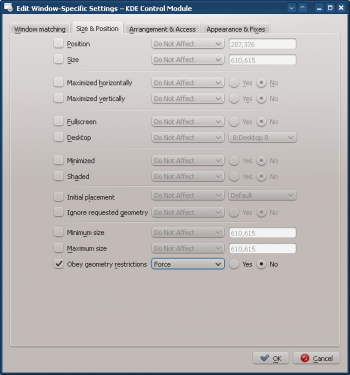
- Ignore Emacs's full-screen request by enabling the attribute, toggling it to off () to ignore and selecting the parameter:
- Click through to complete entry of the rule.


