
Digikam
Home » Applications » Graphics » Digikam
 |
View, manage, edit, enhance, organize, tag, and share photographs. |
DigiKam supports import of photos from cameras, creation of albums, tagging with dates, subjects and other properties, and excellent search facilities. Please consult the manual for full details, including picture formats supported.
Features
Managing your Photos
Digikam provides advanced functionality to manage your photos. You can view your photos in chronological order, or classify the photos in different albums, there is also the possibility to organize your photos with the localization they were taken.
-
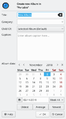 Create Album
 -
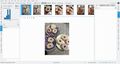 Timeline View
 -
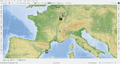 Map View


Moreover, Digikam also provide multiple search features, you can do a simple keyword search, but also advanced search on the metadata and even some fuzzy search, where you draw a pattern and Digikam try to find matching photos. Digikam can also found duplicate in your library.
-
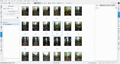 Simple Search View
 -
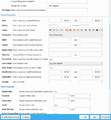 Detailed Search
 -
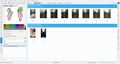 Fuzzy Search
 -
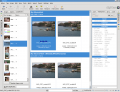 Identify duplicates


Digikam can also display the Exif information of your photo.

The Image Editor
-
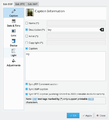 Edit metadata
 -
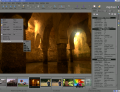 Assigning a Rating
 -
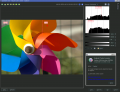 Adjust Colour Levels
 -
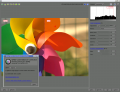 White Balance Adjustment
 -
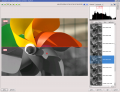 Convert to Black and White
 -
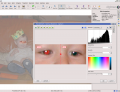 Red-eye correction
 -
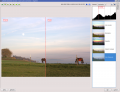 Auto Colour Correction
 -
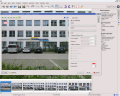 Lens Auto Correction
 -
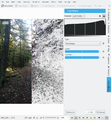 Find Edges effect
 -
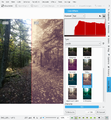 Washout effect


The Camera Interface
-
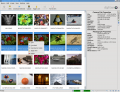 Read from Removable Media
 -
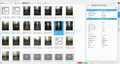 or from Camera
 -
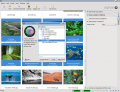 Save direct to Albums
 -
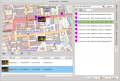 Add Geolocation to Individual Photos


The Light Table
-
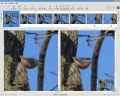 Compare from a range of photos
 -
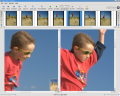 Examine Details
 -
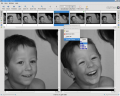 Rating makes choice easier
 -
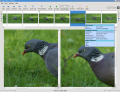 See the camera settings


ShowFoto
For those who find the DigiKam interface a tad too technical, ShowFoto gives access to the same tools, with a popular interface.
-
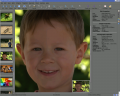 Browsing
 -
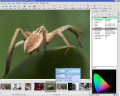 Image Properties
 -
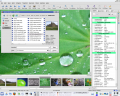 See image properties
 -
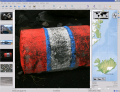 Geolocation again
 -
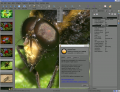 Preset zooms
 -
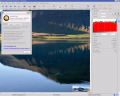 Histogram
 -
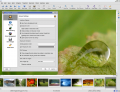 General Settings
 -
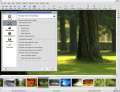 Tooltip Options
 -
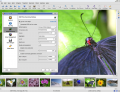 Raw Image Settings
 -
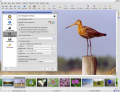 Colour Management Settings
 -
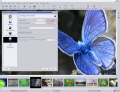 File Saving Options
 -
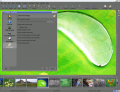 Configure a Slideshow


The support page of the project has links to Frequently Asked Questions (FAQs) and to Mailing List subscription details.
The section on Digital Asset Management is no longer on the web pages, but in the manual, which may be present on your installation as digikam-doc.
The blog Open Source Photo Processing Comes of Age by rm42 highlights developments since the KDE 3 version, and provides a useful tour.
We have a growing collection of tutorials that will help you get more enjoyment and productivity from digikam. The Digikam tutorials page lists them with a brief comment on content.

Useful digiKam Tricks
Transcribed from Dmitri Popov's blog, 26 September 2011
- To quickly adjust thumbnail size in the Album view, press and hold the Ctrl key, then use the mouse scroll wheel to make the thumbnails larger or smaller.
- With the feature enabled, digiKam automatically hides originals and displays the latest modified versions of the photos. For example, if you process a NEF file and save it in the JPEG format, digiKam hides the original RAW file and shows only the JPEG photo. To disable this feature, choose and make sure that the option in the In main view section is enabled. To keep things tidy, you can then group the original and all its versions. To do this, select the photos you want to group, right-click on the selection, and choose .
The trash has reached its maximum size! Cleanup the trash manually
If you receive this error message and emptying the Trash doesn’t help, then the following command may solve the problem:rm ~/.local/share/Trash/metadata
- Need to quickly locate all untagged photos? In digiKam, expand the left sidebar, and press the button. In the window, tick the check box and press to run the search.
- Instead of the conventional thumbnail view, digiKam lets you map your photos on a globe. Choose , and you should see photos from the current album mapped on the 3-D globe. You can then use the mouse to rotate the globe and the mouse wheel to zoom in and out. Obviously, the Map view displays only geotagged photos.

Download
Digikam is available for Linux, Windows and MacOS. For Linux, you can find Digikam in your distribution repository or you can also download Digikam as an AppImage.
For Windows and MacOS, you can download Digikam binary on the digiKam website download page.
Beta version and source code are also available on the digiKam website download page.
Tutorials
There is a lot of tutorials about using Digikam. These tutorials are taken from Dmitri Popov and Mohamed Malik blogs about using Digikam, and have given us permission to reproduce them.