
Digikam
Home » Applications » Graphics » Digikam
 |
Voir, gérer, éditer, améliorer, organiser, ajouter un libellé et partager les photos |
DigiKam prend en charge l'importation de photos à partir des appareils photo, la création d'albums, le marquage de la date, le sujet et autres propriétés et un excellent outil de recherche. Veuillez consulter le manuel pour tous les détails, incluant les formats d'images qui sont pris en charge.
Fonctionalités
Gérer vos photos
Digikam fournit des fonctionalités avancées pour gérer vos photos. Vous pouvez voir vos photos dans l'ordre chronologique, ou les classer en différents albums, ou encore les ranger en fonction du lieu où elles ont été prises.
-
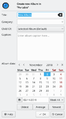 Créer un album
 -
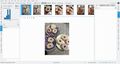 Vue chronologique
 -
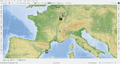 Vue cartographique


En plus, Digikam possède également des critères de recherche multiple, soit à l'aide d'un simple mot-clé, mais aussi par recherche avancée sur les métadonnées et même quelques recherches globales, pour lesquelles vous définissez un modèle et Digikam essaie de trouver les photos correspondantes. Digikam peut aussi détecter les doublons de votre bibliothèque.
-
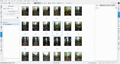 Simple vue de recherche
 -
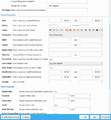 Recherche détaillée
 -
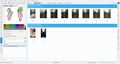 Recherche approximative
 -
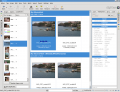 Identifier les photos dupliquées


Digikam peut aussi afficher l'information Exif de votre photo.

L'éditeur d'images
-
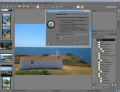 Modifier les métadonnées
 -
 Mettre une note
 -
 Ajuster les niveaux de couleur
 -
 Ajuster la balance des blancs
 -
 Convertir en noir et blanc
 -
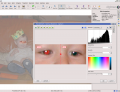 Correction yeux rouges
 -
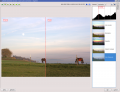 Correction automatique des couleurs
 -
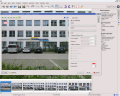 Correction de lentille automatique
 -
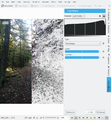 Effet de recherche des contours
 -
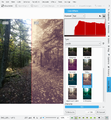 Effet de lessivage


L'interface appareil photo
-
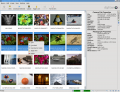 Lecture depuis les médias amovibles
 -
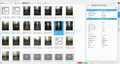 ou depuis l'appareil photo
 -
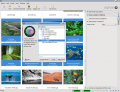 Enregistrer directement vers les albums
 -
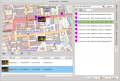 Ajouter la géolocalisation individuellement aux photos


La table des lumières
-
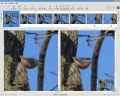 Comparer à partir d'un ensemble de photos
 -
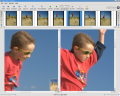 Examiner les détails
 -
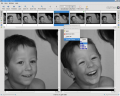 Noter rend le choix plus facile
 -
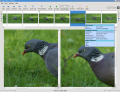 Voir la configuration de l'appareil photo


ShowFoto
Pour ceux qui trouvent l'interface DigiKam un peu trop technique, ShowFoto donne accès aux mêmes outils, avec une interface populaire.
-
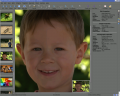 Navigation
 -
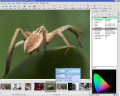 Propriétés de l'image
 -
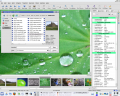 Voir les propriétés de l'image
 -
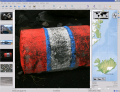 Encore la géolocalisation
 -
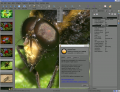 Zooms prédéfinis
 -
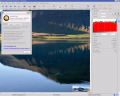 Histogramme
 -
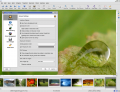 Configuration générale
 -
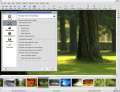 Options d'infobulles
 -
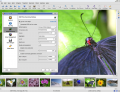 Configuration des images Raw
 -
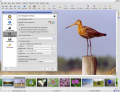 Configuration de la gestion des couleurs
 -
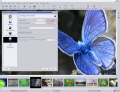 Options d'enregistrement des fichiers
 -
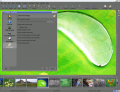 Configurer une présentation


La page d'aide du projet a des liens vers la FAQ et vers les détails d'inscription à la liste de diffusion.
La section sur la Gestion des ressources digitales n'est plus sur ces pages web, mais dans le manuel, qui peut être présent sur votre installation en tant que digikam-doc, ou vous pouvez télécharger les fichiers pdf digikam.pdf, showfoto.pdf et kipi-plugins.pdf
Le blog Open Source Photo Processing Comes of Age par rm42 met en avant les développements depuis la version KDE3, et offre une visite utile.
Nous avons une collection croissante de tutoriels qui vous aideront à obtenir plus de plaisir et de productivité à partir de digikam. La page de tutoriels Digikam les liste avec un bref commentaire sur le contenu.

Astuces utiles concernant digiKam
Retranscrit du blog de Dmitri Popov en date du 26 septembre 2011
- Pour ajuster rapidement la taille des vignettes dans l'affichage de l'Album, pressez et maintenez la touche Ctrl, puis utilisez la molette de la souris pour agrandir ou réduite la taille des vignettes.
- Avec la fonction activée, digiKam masque automatiquement les originaux et affiche les dernières versions modifiées des photos. Par exemple, si vous traitez un fichier NEF et que vous l'enregistrez au format JPEG, digiKam masque le fichier RAW d'origine et n'affiche que la photo JPEG. Pour désactiver cette fonction, choisissez et vérifiez que l'option dans la section est activée vue principale. Pour garder les choses ordonnées, vous pouvez ensuite regrouper l'original et toutes ses versions. Pour faire cela, sélectionnez les photos que vous souhaitez grouper, cliquez-droit sur la sélection, puis choisissez .
La poubelle a atteint sa taille maximale ! Videz la corbeille manuellement
Si vous recevez ce message d'erreur pendant que vous videz la corbeille, la commande suivante peut résoudre le problème :rm ~/.local/share/Trash/metadata
- Besoin de localiser rapidement toutes les photos non marquées ? Dans digiKam, développez la barre latérale gauche , et pressez le bouton . Dans la fenêtre , cochez la boîte et pressez pour lancer la recherche.
- Au lieu de la vue miniature classique, digiKam vous permet de mapper vos photos sur un globe. Choisissez , et vous devriez voir les photos de l'album en cours sur le globe 3D. Vous pouvez ensuite utiliser la souris pour faire tourner le globe et la molette de la souris pour zoomer et dézoomer. Évidemment, la vue Carte affiche uniquement les photos géolocalisées.

Téléchargement
Digikam est disponible pour Linux, Windows et MacOS. Pour Linux, vous pouvez trouver Digikam dans le dépôt de votre distribution ou vous pouvez aussi télécharger Digikam comme une AppImage.
Pour Windows et MacOS, vous pouvez télécharger le binaire de Digikam sur la de téléchargement du site web digikam.
La version bêta et le source du code sont aussi disponibles sur la de téléchargement du site web digikam.
Tutoriels
Il existe beaucoup de tutoriels sur Digikam. Ces tutoriels sur l'utilisation de Digikam sont extraits des blogs de Dmitri Popov et Mohamed Malik qui nous ont donné la permission de les reproduire.