
System Settings
System Settings
KDE system manager for hardware, software, and workspaces.

Features
- Search function helps narrow down relevant settings
- Highlight Changed Settings function displays changed settings
- Pointing at an icon displays a tooltip with more information about it
Search
When the keyboard focus is in the icon window, you can type the first few letters of any module name to select it.
System Settings has a search function to help in hunting down a setting. Simply type in a keyword in the Search field in the toolbar and System Settings will display modules that contain the keyword and hide those that don't.
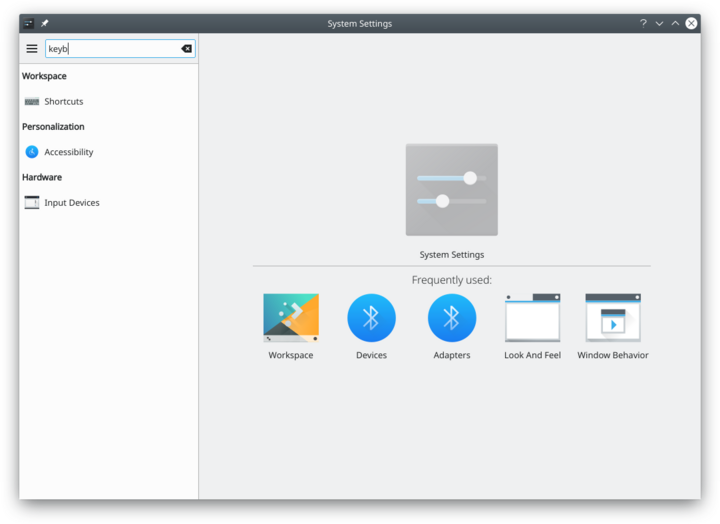
Searching for "key".

You can also search for and open System Settings modules in KRunner.
Categories
Appearance
Look and Feel

Customize Plasma in one click. Workspace Theme

Customize your plasma theme, cursor theme, and splash theme all from here. Color

Here you can choose which color scheme to use on the desktop and in applications. You can also tweak the settings for individual elements. Font

Configure which fonts you want to use in window bars, menus, and elsewhere. Icons

Here you can choose which icon theme to use for your workspace, and how large you want them to be. Application Style

Customize your systems widget style (button themes), window decorations (how your titlebars look), and how GNOME (GTK) applications look..
Workspace
Desktop Behavior

Configure desktop effects such as window animations, transparency, or the desktop cube. Windows Management

Configure Kwin the KDE windows manager. Shortcuts

Configure keyboard shortcuts. Startup and Shutdown

Configure your system behavior when starting up or shutting down. Search

Settings for the desktop search engine and the file indexer.
Personalization
Acccount Details

Manage users and configure password manager. Regional Settings

Configure language, time formats, date and more Notifications

Configure notifications. Applications

Configure default applications, file associations, and more. Accessibility

Settings to help users who have difficulty hearing audible cues, or who have difficulty using a keyboard. Online Accounts

Add your google, ownCloud or Twitter account, for a better integration.
Network
Connections

Preferences for your network connections. Settings

Additional settings about your connection, Konqueror and SMB shares Bluetooth

Preference about Bluetooth.
Hardware
Input Devices

Configure your keyboard, mouse and joystick. Display and Monitor

Configuration of your monitor(s) and screensaver settings. Multimedia

Configure the handling of audio CDs Power Management

Global settings for the power manager. Printers

Configure your printers to work with plasma. Removable Storage

Configure automatic handling of removable storage media and which actions are available when a new device is connected to your machine.