
系統設定
Outdated translations are marked like this.
System Settings
KDE 軟體和工作空間的控制中心。

特性
- 全局性的 KDE 平臺配置中心
- 方便的自定義,管理你的桌面
- 幫助定位設置模塊的搜索功能
搜索
系統設置 有個搜索功能幫助定位要找的設置模塊位置。在工具欄的搜索框輸入,系統設置會高亮包含關鍵詞的設置模塊,同時黯淡其他無關模塊。還可以透過 KRunner 訪問到系統設定模組。
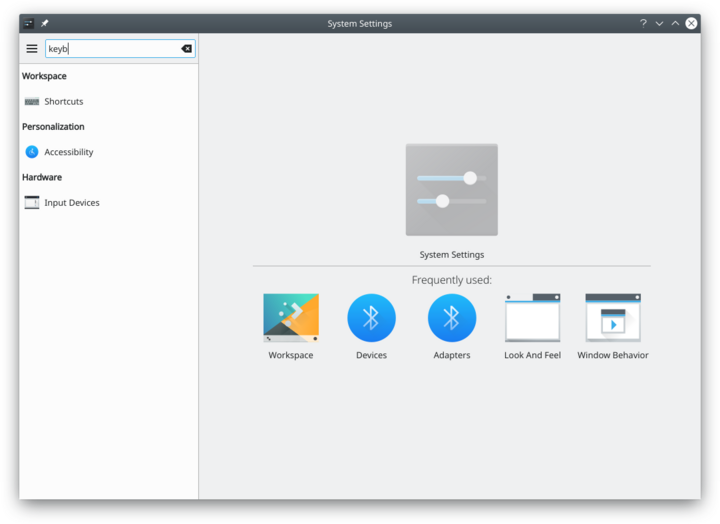
搜索關鍵詞

You can also search for and open System Settings modules in KRunner.
分類
通用外觀與行為
Look and Feel

Customize Plasma in one click. {{{3}}}
[[File:{{{2}}}|48px|link=Special:myLanguage/System Settings/Workspace Theme]] 設定你的用戶信息,密碼和路徑。你還可以配置社會化桌面提供方。
{{{3}}}
[[File:{{{2}}}|48px|link=Special:myLanguage/System Settings/Color]] 設定應用程式風格,顏色,圖示,字型和表情圖示。
Font

Configure which fonts you want to use in window bars, menus, and elsewhere. Icons

Here you can choose which icon theme to use for your workspace, and how large you want them to be. Application Style

Customize your systems widget style (button themes), window decorations (how your titlebars look), and how GNOME (GTK) applications look..
Workspace
Desktop Behavior

Configure desktop effects such as window animations, transparency, or the desktop cube. Windows Management

Configure Kwin the KDE windows manager. Shortcuts

Configure keyboard shortcuts. {{{3}}}
[[File:{{{2}}}|48px|link=Special:myLanguage/System Settings/Startup and Shutdown]] 設定啟動或關閉時的系統行為 Search

Settings for the desktop search engine and the file indexer.
Personalization
Acccount Details

Manage users and configure password manager. Regional Settings

Configure language, time formats, date and more Notifications

Configure notifications. Applications

Configure default applications, file associations, and more. Accessibility

Settings to help users who have difficulty hearing audible cues, or who have difficulty using a keyboard. Online Accounts

Add your google, ownCloud or Twitter account, for a better integration.
Network
Connections

Preferences for your network connections. Settings

Additional settings about your connection, Konqueror and SMB shares Bluetooth

Preference about Bluetooth.
硬體
{{{3}}}
[[File:{{{2}}}|48px|link=Special:myLanguage/System Settings/Input Devices]] 設定你的鍵盤,滑鼠和搖杆。 Display and Monitor

Configuration of your monitor(s) and screensaver settings. Multimedia

Configure the handling of audio CDs Power Management

Global settings for the power manager. Printers

Configure your printers to work with plasma. Removable Storage

Configure automatic handling of removable storage media and which actions are available when a new device is connected to your machine.